Keep the voice.
Eleven brand fields carry identity, audience, personality, phrases, values, style, and example writing into generation and repurposing.
Projects / ContentForge AI
Generative AI + content workflows
Your voice, defined once.
Carried through every draft.
Define a brand voice → build a brief → generate content → keep and plan the work.
00 / The idea
Marketing teams and independent creators need consistent voice across different formats. ContentForge AI makes that context reusable: define the brand, write a brief, compare different creative approaches, and carry the result into a searchable library and planning calendar.
01 / Product walkthrough
01/6
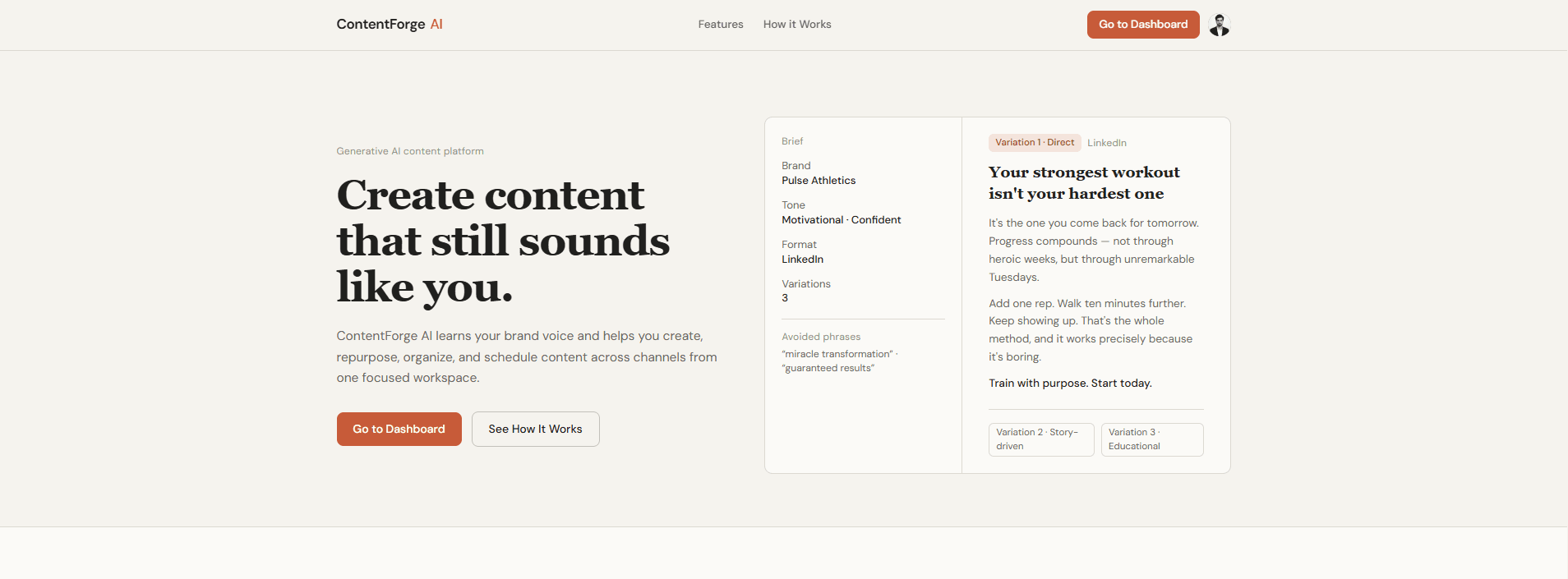
Create marketing content that still sounds like your brand.
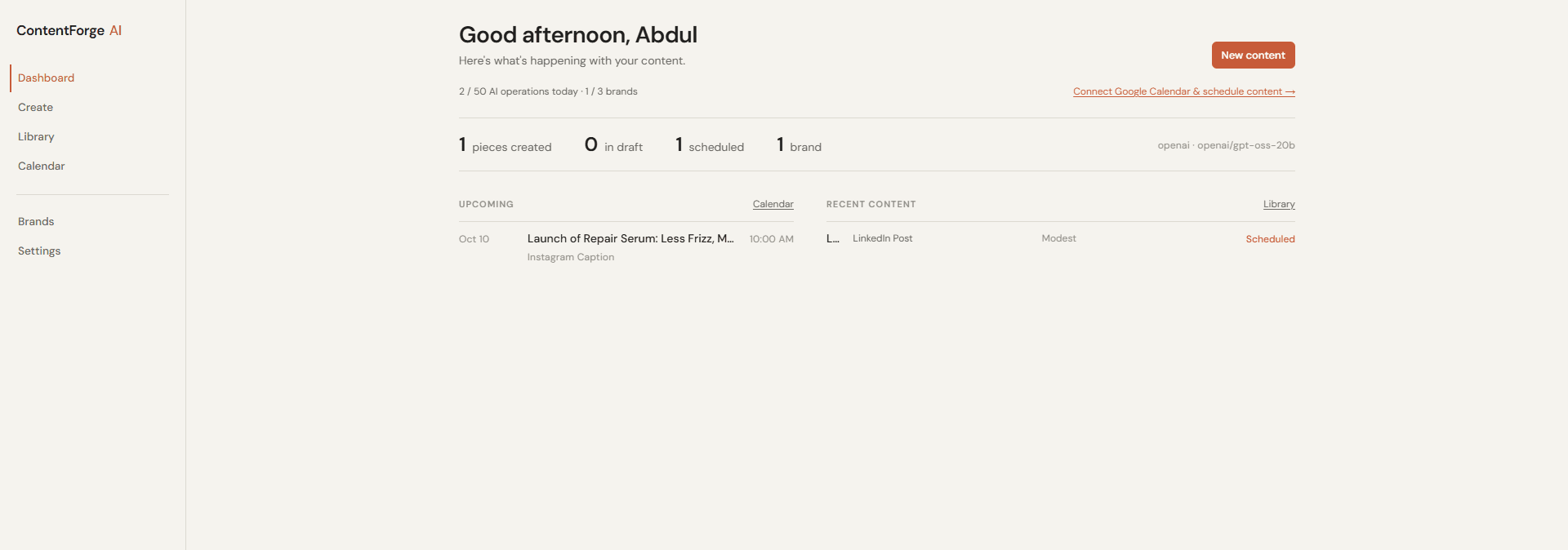
Usage, saved content, brands, and upcoming plans in one dashboard.
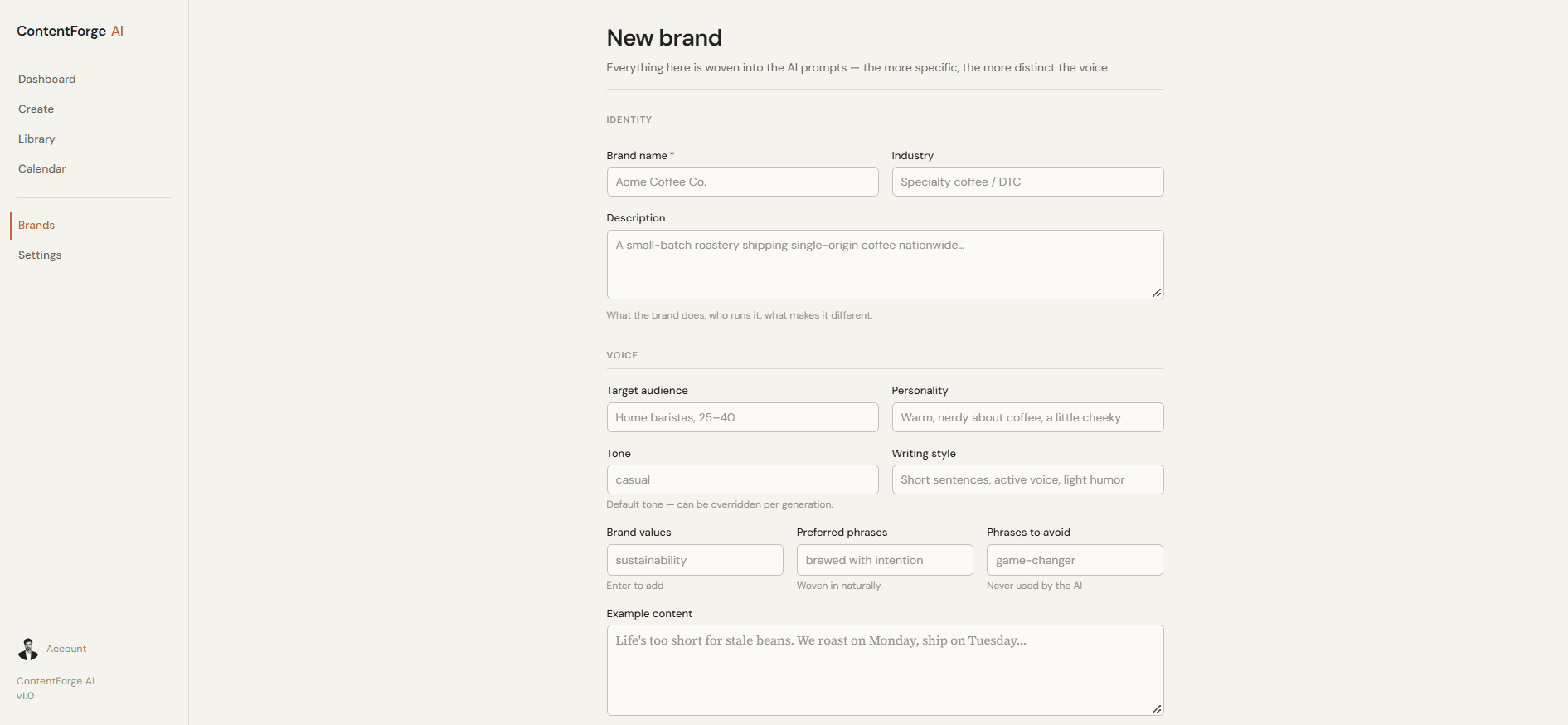
Identity, audience, values, writing style, and examples become reusable context.
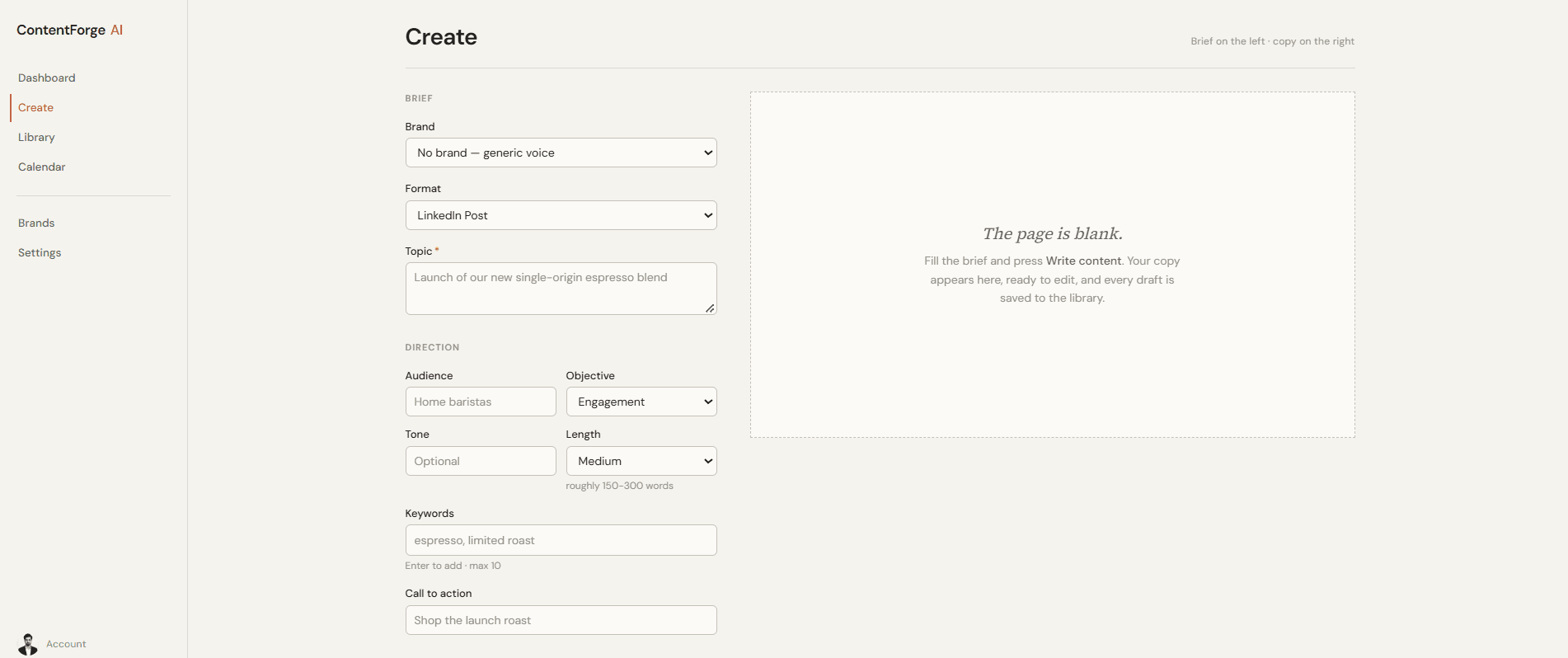
Choose a format, topic, audience, tone, and up to three distinct variations.
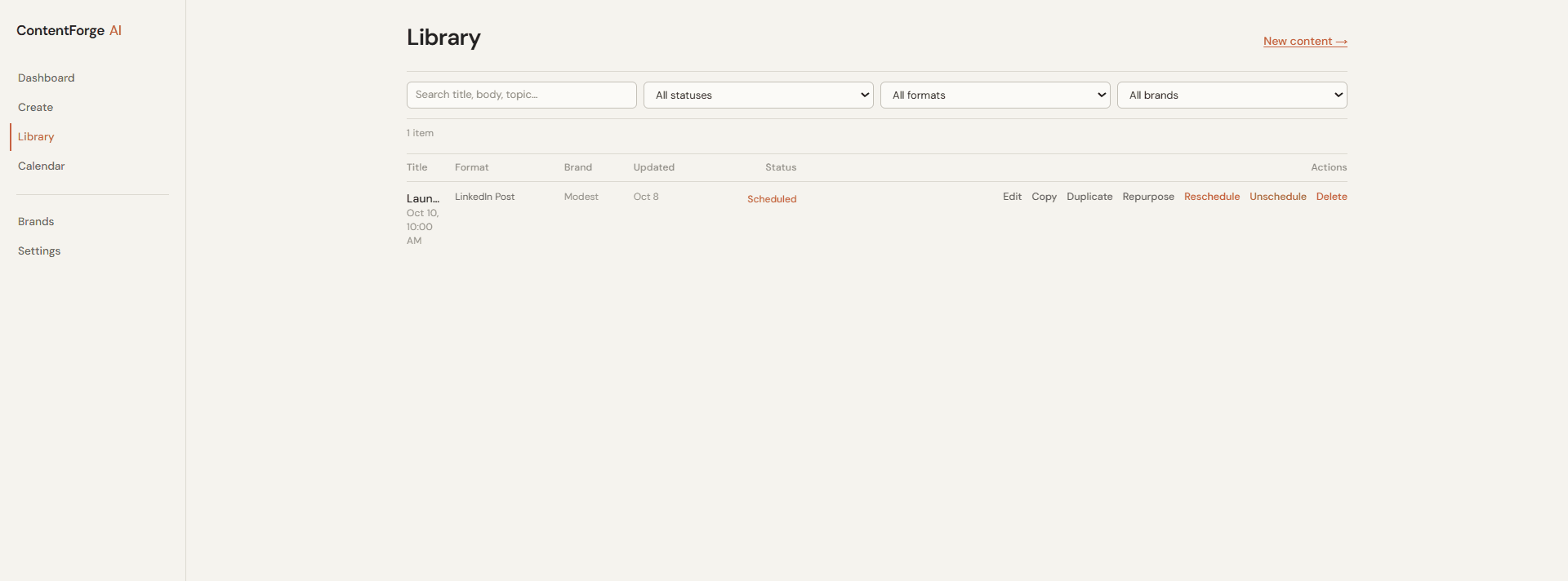
Search, edit, repurpose, duplicate, and schedule saved content.
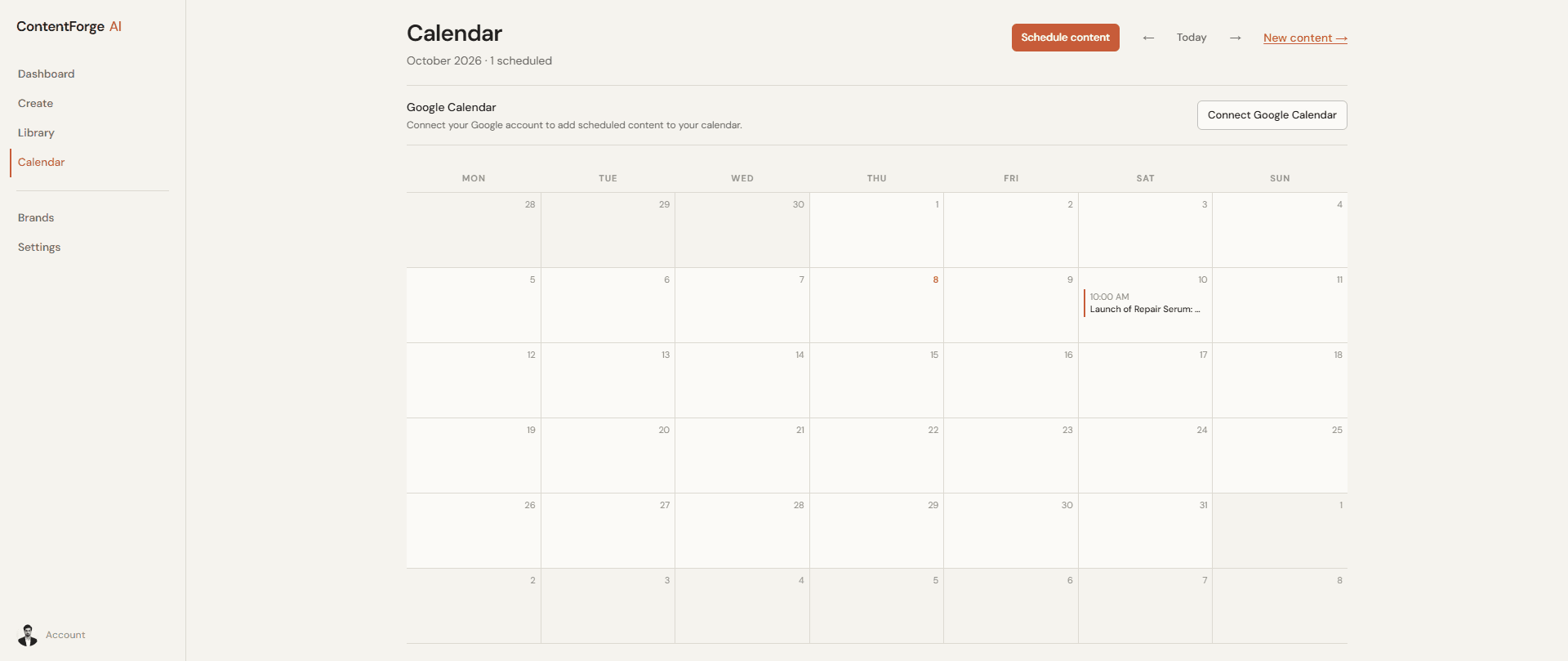
A monthly planning calendar, with optional Google Calendar synchronization.
02 / System architecture
The Next.js application owns both the product interface and API routes. Clerk establishes identity, Prisma scopes persisted records, and a server-only adapter connects generation to the selected AI provider.
Eleven brand fields carry identity, audience, personality, phrases, values, style, and example writing into generation and repurposing.
Direct, Story-driven, and Educational strategies produce different structures rather than simply requesting paraphrases.
Saved drafts remain editable, searchable, reusable, and schedulable. A connected calendar is an optional extension.
03 / The generation pipeline
Format constraints, audience, objective, tone, length, keywords, and CTA are combined with the brand profile. Up to three independent requests run in parallel; their JSON title and body are validated before previewing or saving.
Provider configuration
These are configurable code defaults, not claims about which model ran every demo. Brand instructions guide generation; human review is still needed for facts, voice, and compliance.
04 / Reuse & planning
Repurpose a saved piece into another format while retaining the voice and source relationship. Schedule it on the monthly calendar, then optionally synchronize a Google event. Local plans remain saved when external synchronization fails.
05 / Engineering underneath
Authentication, ownership checks, bounded retries, atomic usage reservations, and transactional scheduling support the creative workflow. The implementation includes Vitest coverage for these boundaries; this case study does not claim newly measured benchmark results.
Resolves the Clerk identity to an active database user and provisions the workspace before authenticated rendering.
Combines the brief, brand voice, format constraints, and variation strategy into a structured generation prompt.
Runs independent variation requests in parallel and adapts saved content into another format.
Switches OpenAI-compatible, Anthropic, or mock adapters; bounds retries and handles upstream timeouts.
Validates request fields and generated JSON, caps brands, and atomically reserves daily AI operations.
Keeps content and planning records consistent, then optionally synchronizes Google Calendar events.
Up to three brands and 50 generation or repurposing operations per user per UTC day. Accepted operations consume quota even if the provider later fails.
Transient network errors, rate limits, and selected server failures receive bounded retries. Unreadable responses produce a recoverable user-facing error.
Database transactions protect planning records. Per-schedule advisory locks and stable Google event IDs reduce concurrent-update duplication.